About Camera - Scanner : Page Scann
Cam - Scanner is a powerful application for scanning documents. Anywhere and anytime, scan, save and archive. Managing and searching has never been so easy. Cam - Scanner is a must-have application for business travelers,...
Cam - Scanner is a powerful application for scanning documents. Anywhere and anytime, scan, save and archive. Managing and searching has never been so easy.
Cam - Scanner is a must-have application for business travelers, being available to send scans to customers even when you are out of the office.
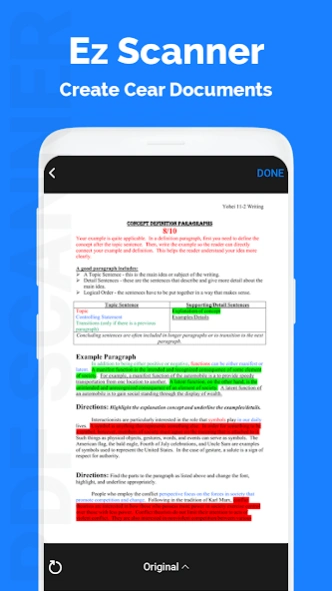
Auto enhancing makes the PDF look clear and sharp.
In Cam - Scanner PDF generation is completely offline and requires no internet connection. It saves your PDF file in history and in the list of recently used documents.
The documents scanned in Cam - Scanner are not uploaded to any server for any processing. Document recognition in the photos after scanning is done on the device.
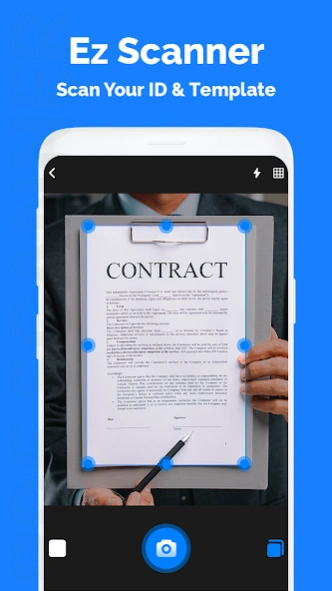
Using Cam - Scanner you can scan almost anything, be it documents, invoices, notes, or business cards, all into PDFs.
Indeed Cam - Scanner simplifies your Life.
Cam - Scanner is a dead simple app to use, capable of beautiful scan quality. Best of all, it’s totally free.
So what are you waiting for?? Download Cam - Scanner for free today and simplify your life!!
Even You Can Scan Visiting Card and if you want your address To Copy From Card then You Can Use This App and Get OCR.
*Quickly Digitize Document
Just use your phone camera to scan and digitize all kinds of paper documents: receipts, notes, invoices, whiteboard discussions, business cards, certificates, etc.
*Optimize Scan Quality
Smart cropping and auto enhancing ensures the texts and graphics in scanned documents are clear and sharp with premium colors and resolutions.
*Extract Texts from Image
OCR (optical character recognition) extracts texts inside single page for further editing.
Scan Your Document and Enjoy Our App.
If You Like This Camera Scanner Advance - indian Application Then Don't Forget To Give Rate And Review For Further Update.
How to Use Cam - Scanner ?
Use options in the top bar to scan, click or choose photos from gallery.
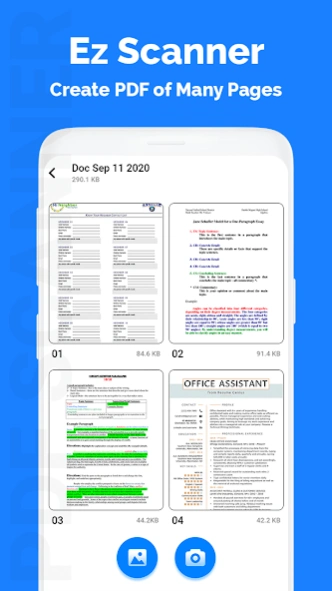
The “Create PDF” tab shows the documents/scans that will be included in the PDF.
The “Recent Files” tab shows the recently used documents/scans.
The “History” tab shows recently generated PDF files.
In the “Create PDF” tab, use the options button for additional options.
“Generate PDF” button generates PDF file using the files in the first tab
Previous Versions
Here you can find the changelog of Camera - Scanner : Page Scann since it was posted on our website on 2021-12-14 21:59:23.
The latest version is and it was updated on 2026-10-07 06:21:39. See below the changes in each version.
Camera - Scanner : Page Scann version 1.3
Updated At: 2020-10-20
Disclaimer
Official Google Play Link
We do not host Camera - Scanner : Page Scann on our servers. We did not scan it for viruses, adware, spyware or other type of malware. This app is hosted by Google and passed their terms and conditions to be listed there. We recommend caution when installing it.
The Google Play link for Camera - Scanner : Page Scann is provided to you by apps112.com without any warranties, representations or guarantees of any kind, so access it at your own risk.
If you have questions regarding this particular app contact the publisher directly. For questions about the functionalities of apps112.com contact us.